
No products in the cart.


Recent Views

Magicka 2 Steam Key GLOBAL
$14.89- EUR: € 12.90

Mocassin Step in style
$115.43- EUR: € 99.97
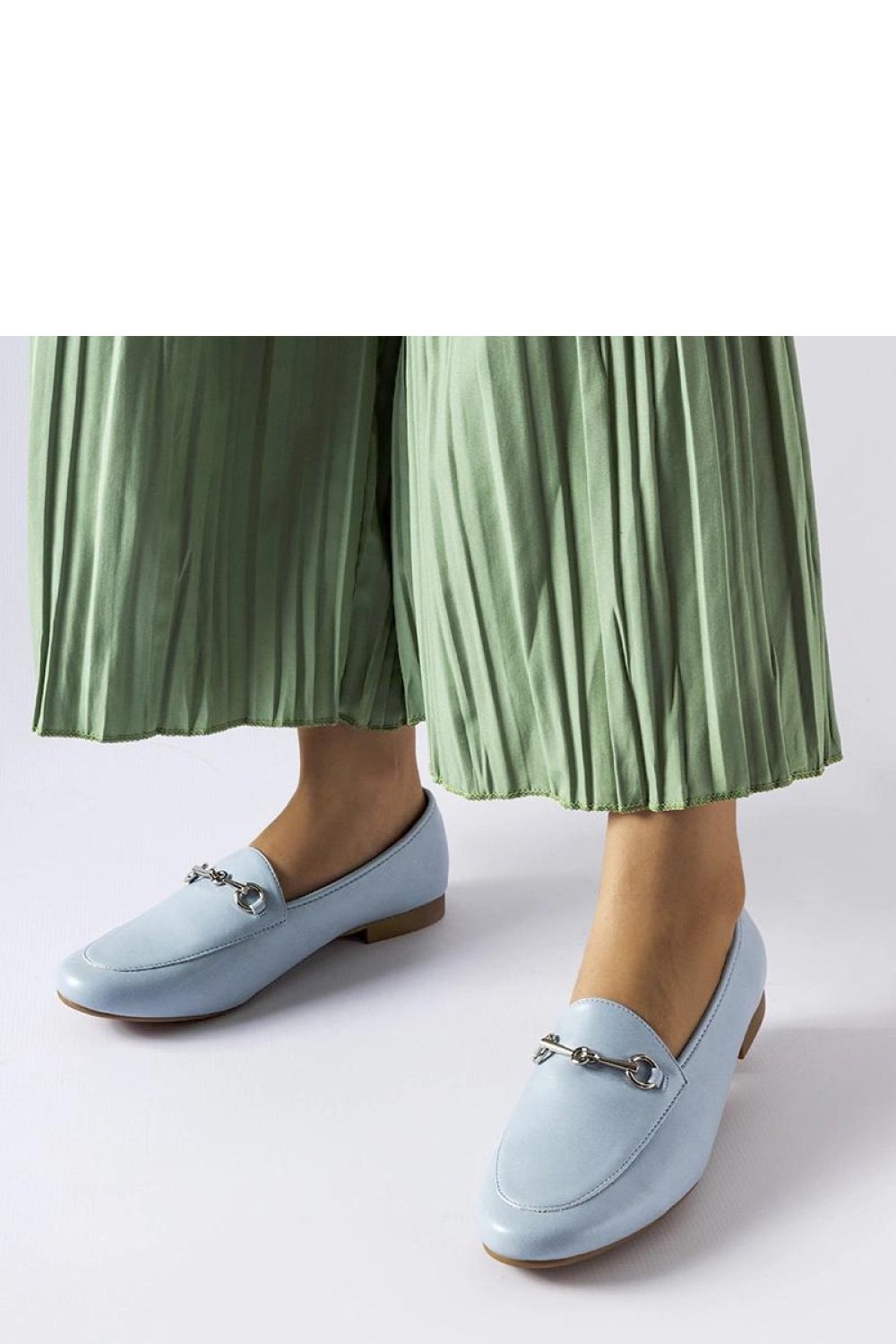
Mocassin Solea
$21.93- EUR: € 18.99
Description
Graveyard Keeper Steam Key GLOBAL
Platform: Steam
Region: Global
Manage your own graveyard in this darkly humorous simulation RPG. Graveyard Keeper offers a unique blend of resource management, crafting, and puzzle solving, all set against the backdrop of a medieval world with a quirky, often unsettling, atmosphere.
Key Features:
- Resource Management: Gather resources, expand your graveyard, and manage your finances to maximize profits and unlock new content.
- Crafting: Create a wide array of items, from grave decorations and tools to more… unconventional products needed to meet the demands of your patrons.
- Puzzle Solving: Solve various puzzles throughout the game to further your progress and uncover the secrets of the land.
- Story-Driven Gameplay: Immerse yourself in a darkly comedic storyline filled with memorable characters and unexpected twists.
- Extensive Gameplay: Explore multiple aspects of gameplay including farming, alchemy, and even questionable activities to improve your graveyard.
- Global Steam Key: This key works on any Steam account worldwide, regardless of region.
What you get:
- An immediate Steam Key for Graveyard Keeper upon purchase.
- Access to all features of the base game.
- The ability to play the game on your PC via Steam.
Note: This listing is for a Steam key only. No physical product will be shipped. Requires a Steam account to activate and play.
Release date: 15.08.2018
Languages: English
Requirements
Minimum requirements:
processor: 1.5 GHz and up
graphics: 256 Mb video memory, shader model 3.0
memory: 4 GB RAM
diskspace: 1 GB available space
system: Windows 7
other: directx: Version 10
Additional information
| Platform | Steam |
|---|---|
| Region | Global |
FAQs
How can I track the progress of my order?
YOU HAVE A CUSTOMER ACCOUNT
You can check your order status and manage your personal information at any time. You can also download your invoice or request a return label by email.
If you don't yet have a customer account, you can create one for free at any time to enjoy the same features for your future orders.
YOU ORDERED AS A GUEST
We will send all order, shipping, and billing information by email to the address indicated on your invoice.
If needed, you can contact our customer service by clicking directly on the chat logo in the bottom right corner of this page.
Did you find this information helpful?
Can I modify or cancel my order?
Once your payment has been processed, it is unfortunately no longer possible to modify your order (shipping/billing address, email, phone number, items and quantities ordered, etc.).
If you wish to change the shipping address, please contact the carrier responsible for your delivery directly. To do so, go to the tracking link you will receive by SMS or email (remember to check your spam folder) or contact the carrier's customer service directly.
Did you find this information helpful?
Has my order been registered?
An order confirmation will be sent to you by email. If you haven't received an email confirmation, please check your spam/junk folder.
We will notify you by email as soon as your order leaves our warehouse. This email will also contain a tracking link, allowing you to monitor your package during transit.
You can check the status of your order at any time in your customer account under "My Orders."
For any further questions, you can contact our customer service team by clicking here to access the contact form or directly on the chat logo in the bottom right corner of this page.
Did you find this information helpful?
Is there a minimum order amount?
There is no minimum order amount on obors.com website. However, if you wish to use a gift voucher to pay for your order, a minimum amount and other redemption conditions* may apply.
*Please see our general terms and conditions; enjoy your visit to our online shop!
Did you find this information helpful?
How to place an order?
ADD AN ITEM TO MY CART
Once you have made your selection, place the desired item(s) in your cart by clicking the button.
VALIDATE MY CART
In your cart, you will find all the items you have added. Before clicking and proceeding to payment to finalize your order, please verify your choice of colour, size, and quantity.
You can then choose to order with your online account or as a guest, and then select your delivery and payment methods.
Please note that once the order is validated, you will no longer be able to modify its information.
WHAT TO DO IF AN ERROR MESSAGE APPEARS
In rare cases, a delivery error message may appear at the "CHECK AND PLACE ORDER" stage.
In this case, we advise you to return to the delivery options by clicking on "DELIVERY METHOD".
If needed, you can contact our customer service by clicking directly on the chat box on the right corner of the page
Did you find this information helpful?
I cancelled my order, how will I get a refund?
An order can only be cancelled within 60 minutes.
Here are the refund conditions in the event of a successful cancellation:
CREDIT CARD / GOOGLE PAY / APPLE PAY:
For payments made via credit card, Google Pay, and Apple Pay, the charge only occurs when the merchandise order is confirmed.
PAYMENT VIA PAYPAL & STRIPE
For payments made via PayPal, the amount is debited directly when the order is placed. Once the cancellation is successfully processed, we automatically issue a refund.
Please note: For technical reasons, refunds via PayPal & Stripe may take up to 7 business days.
PAYMENT VIA DEPAY
For payments made via DePay, the amount is debited directly when the order is placed. Once the cancellation is successfully processed, we will automatically contact the customer before the issue of any refund.
Please note: For technical reasons, refunds via DePay may be impossible for certain orders or charges may apply
If you used a promotional code, it is automatically cancelled and cannot be reused. Therefore, please contact our customer service department and provide the order number of the cancelled order.
Please visit our refund policy for more information
Did you find this information helpful?