
No products in the cart.


Description
Cities: Skylines – Industries Steam Key GLOBAL
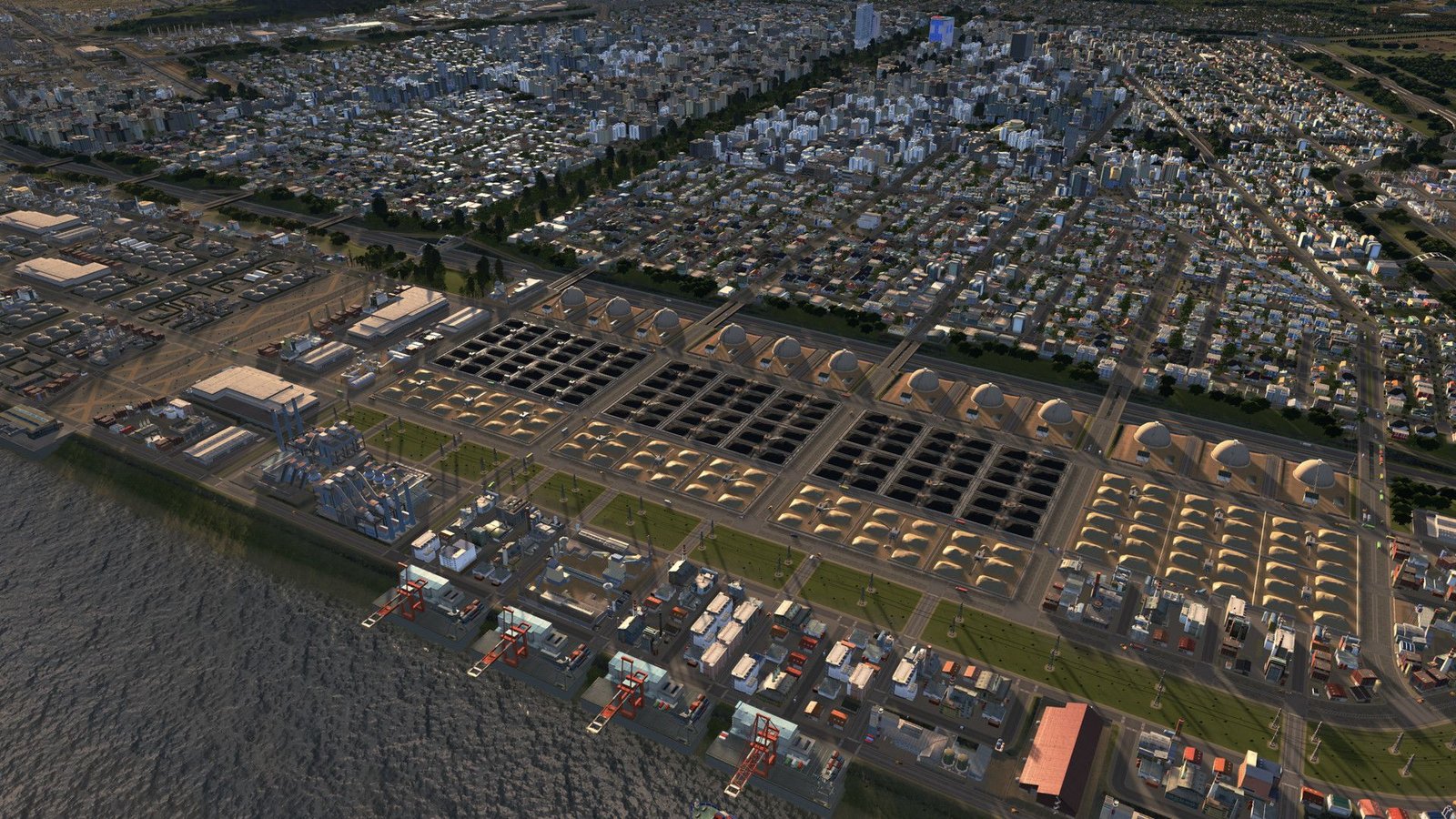
Expand your Cities: Skylines experience with the Industries expansion, available as a Steam key with global activation. This DLC introduces a robust industrial sector, adding significant depth and complexity to your city management.
Key Features:
- Comprehensive Industry Chain: Manage the entire process, from raw material extraction to the production and distribution of finished goods. This includes establishing specialized industrial areas and optimizing logistics.
- Specialized Industrial Areas: Develop distinct areas focused on various industries such as farming, forestry, mining, oil, and high-tech manufacturing. Each industry has unique needs and production chains.
- New Buildings & Infrastructure: Construct new factories, warehouses, and transport infrastructure optimized for efficient industrial operations. These visually distinct buildings enhance the realism of your city.
- Advanced Logistics System: Implement efficient cargo transportation networks using trains, trucks, and ships to connect your industrial areas with the rest of your city.
- Economic Simulation: Experience a more detailed and dynamic economic simulation, directly influenced by the performance of your industrial sector. Monitor production, consumption, and trade to optimize economic growth.
- Improved City Planning: The strategic placement of your industrial zones impacts your city’s overall efficiency and growth, demanding careful planning and consideration.
- Global Activation: This Steam key is globally redeemable, regardless of your location.
What you will receive:
- A Steam key for Cities: Skylines – Industries DLC.
- Access to all features listed above.
- The ability to expand your Cities: Skylines gameplay with a new layer of strategic complexity.
System Requirements:
Please check the Steam store page for the latest system requirements before purchasing.
Note:
This product is an expansion pack and requires the base game Cities: Skylines to play.
Release date: 23.10.2018
Languages: English, German, French, Polish, Korean, Portuguese, Russian, Simplified Chinese, Spanish
Requirements
Minimum requirements:
processor: Intel Core 2 Duo, 3.0GHz or AMD Athlon 64 X2 6400+, 3.2GHz
graphics: nVIDIA GeForce GTX 260, 512 MB or ATI Radeon HD 5670, 512 MB (Does not support Intel Integrated Graphics Cards)
memory: 4 GB RAM
diskspace: 4 GB available space
system: Microsoft Windows 7/ 8 /8.1 (64-bit)
other: directx: Version 9.0c
Recommended:
processor: Intel Core i5-3470, 3.20GHz or AMD FX-6300, 3.5Ghz
graphics: nVIDIA GeForce GTX 660, 2 GB or AMD Radeon HD 7870, 2 GB (Does not support Intel Integrated Graphics Cards)
memory: 6 GB RAM
diskspace: 4 GB available space
system: Microsoft Windows 7/8 (64-bit)
Additional information
| Platform | Steam |
|---|---|
| Region | Global |
FAQs
How can I track the progress of my order?
YOU HAVE A CUSTOMER ACCOUNT
You can check your order status and manage your personal information at any time. You can also download your invoice or request a return label by email.
If you don't yet have a customer account, you can create one for free at any time to enjoy the same features for your future orders.
YOU ORDERED AS A GUEST
We will send all order, shipping, and billing information by email to the address indicated on your invoice.
If needed, you can contact our customer service by clicking directly on the chat logo in the bottom right corner of this page.
Did you find this information helpful?
Can I modify or cancel my order?
Once your payment has been processed, it is unfortunately no longer possible to modify your order (shipping/billing address, email, phone number, items and quantities ordered, etc.).
If you wish to change the shipping address, please contact the carrier responsible for your delivery directly. To do so, go to the tracking link you will receive by SMS or email (remember to check your spam folder) or contact the carrier's customer service directly.
Did you find this information helpful?
Has my order been registered?
An order confirmation will be sent to you by email. If you haven't received an email confirmation, please check your spam/junk folder.
We will notify you by email as soon as your order leaves our warehouse. This email will also contain a tracking link, allowing you to monitor your package during transit.
You can check the status of your order at any time in your customer account under "My Orders."
For any further questions, you can contact our customer service team by clicking here to access the contact form or directly on the chat logo in the bottom right corner of this page.
Did you find this information helpful?
Is there a minimum order amount?
There is no minimum order amount on obors.com website. However, if you wish to use a gift voucher to pay for your order, a minimum amount and other redemption conditions* may apply.
*Please see our general terms and conditions; enjoy your visit to our online shop!
Did you find this information helpful?
How to place an order?
ADD AN ITEM TO MY CART
Once you have made your selection, place the desired item(s) in your cart by clicking the button.
VALIDATE MY CART
In your cart, you will find all the items you have added. Before clicking and proceeding to payment to finalize your order, please verify your choice of colour, size, and quantity.
You can then choose to order with your online account or as a guest, and then select your delivery and payment methods.
Please note that once the order is validated, you will no longer be able to modify its information.
WHAT TO DO IF AN ERROR MESSAGE APPEARS
In rare cases, a delivery error message may appear at the "CHECK AND PLACE ORDER" stage.
In this case, we advise you to return to the delivery options by clicking on "DELIVERY METHOD".
If needed, you can contact our customer service by clicking directly on the chat box on the right corner of the page
Did you find this information helpful?
I cancelled my order, how will I get a refund?
An order can only be cancelled within 60 minutes.
Here are the refund conditions in the event of a successful cancellation:
CREDIT CARD / GOOGLE PAY / APPLE PAY:
For payments made via credit card, Google Pay, and Apple Pay, the charge only occurs when the merchandise order is confirmed.
PAYMENT VIA PAYPAL & STRIPE
For payments made via PayPal, the amount is debited directly when the order is placed. Once the cancellation is successfully processed, we automatically issue a refund.
Please note: For technical reasons, refunds via PayPal & Stripe may take up to 7 business days.
PAYMENT VIA DEPAY
For payments made via DePay, the amount is debited directly when the order is placed. Once the cancellation is successfully processed, we will automatically contact the customer before the issue of any refund.
Please note: For technical reasons, refunds via DePay may be impossible for certain orders or charges may apply
If you used a promotional code, it is automatically cancelled and cannot be reused. Therefore, please contact our customer service department and provide the order number of the cancelled order.
Please visit our refund policy for more information
Did you find this information helpful?